Polish Every Image & Document Without Leaving Brainiest
Every visual and marketing document you generate is automatically saved to your personal Media Library and Results Library. Crop, filter, annotate, add your logo, or refine rich-text documents right inside your browser—and when you need to go further, download directly to your desktop (DOCX, PDF, HTML, or high-res images) or upload into your existing Canva templates.
Complete Creative & Document Control
Edit in-browser first · Export anywhere on demand
1. Full Image Editing Studio
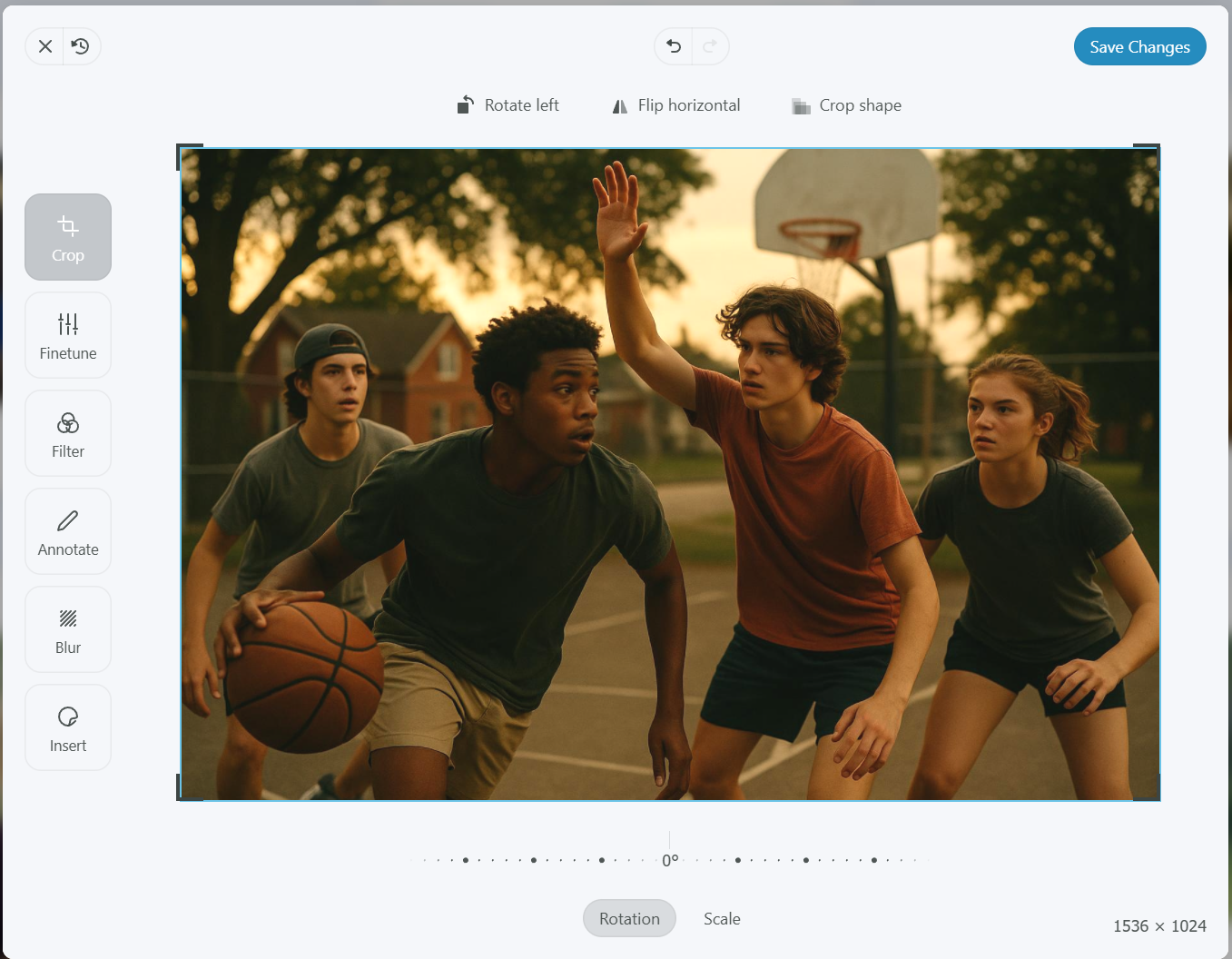
Media LibrarySocial preset crops, rotate/resize/flip, curated photo filters, custom headlines, and 1-click logo overlays right inside your browser.
2. Full Rich-Text & Document Editor
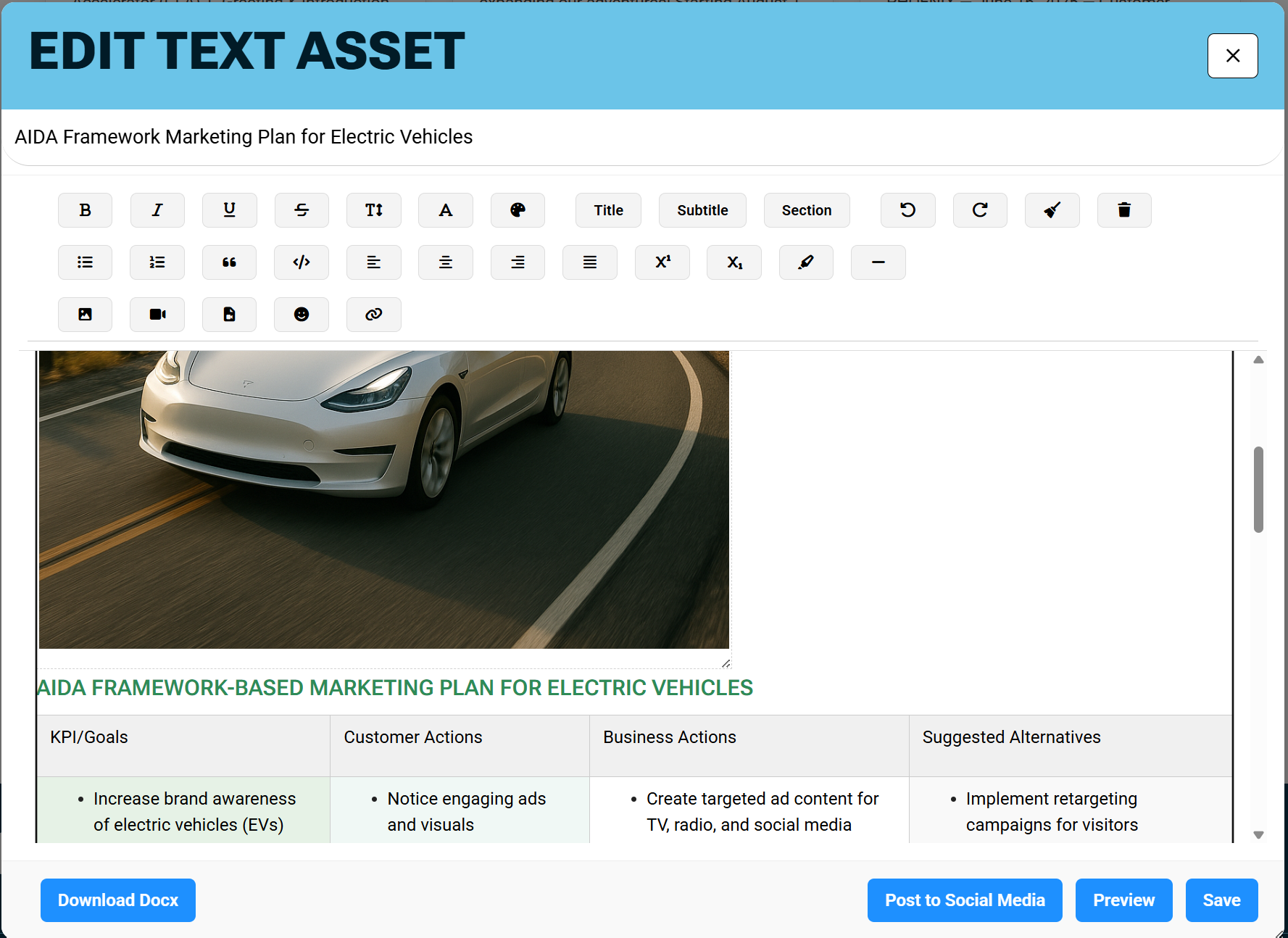
Results LibraryFamiliar MS Word controls + Markdown shortcuts, resizable tables, font/color styling, and embedded photos or videos.
3. Desktop Downloads & Canva Workflow
Portable OutputDownload finished assets to your desktop or upload generated visuals and copy directly into your existing Canva templates.
Full Image Editing—Right Inside Your Browser
When you generate images with our Imaging Suite, we save them automatically to your personal Media Library. From there you can use our professional editing tools without needing to leave your browser or our site—crop, rotate, resize, apply filters, enter text or draw on the image, insert your logo, and save or download the finished visual.
Full Text Editing—Word-Style Power in Your Browser
Our AI-driven applets produce nicely-formatted content that is ready to use immediately. Copy & paste with preserved formatting into MS Word, Google Docs, or email—or open our built-in Document Editor inside your private Results Library to customize, illustrate, version, and repurpose any asset.
Ready-to-Use Rich Text & Clean Copy/Paste
Our AI-driven applets produce nicely-formatted content that is ready to use right away. Copy and paste the generated output into your favorite Rich Text application (MS Word, Google Docs, email, etc.) and your headings, lists, and formatting are preserved.
Searchable Private Results Library & Versioning
Everything you produce on our site is stored in your private Results Library, searchable by category. Edit existing items, store new versions as your campaign evolves, recategorize them for easy access, or delete old drafts anytime.
Familiar MS Word Controls + Modern Markdown Shortcuts
Our intuitive browser editor blends familiar rich-text editing—just like MS Word—with modern icons, Markdown shortcuts, and standard keyboard shortcuts (bold, italics, underline, copy/paste, undo/redo). Resize text, change fonts, add custom colors, or even resize tables.
Integrated Media Library, Desktop Uploads & Video Embeds
The document editor connects directly to your private Media Library so you can insert generated images into your document, or upload media from your desktop (photos, MP4 videos, or embedded YouTube videos) before downloading or publishing to your website or social channels.
Need More Control? Download to Your Desktop or Edit in Canva
If our built-in image and document editors aren’t enough for a specialized layout, we never lock your content in. Subscribers can download images or text results directly to their desktop in industry-standard formats—or upload generated content into their Canva account to do further editing and incorporate the output into existing Canva templates.
Download Images & Text Results Directly to Your Desktop
Whether you prefer finishing a whitepaper in Microsoft Word, sending a client-ready PDF, publishing clean HTML to your CMS, or saving high-resolution visuals locally, your Results Library and Media Library export cleanly in one click.
Microsoft Word & Docs
Great for printed documents, offline desktop editing, team track-changes, and file sharing with clients or stakeholders.
Print & Client-Ready PDF
Lock in your typography, tables, and embedded visuals for polished handouts, lead magnets, proposals, and executive briefs.
Website & CMS Markup
Perfect for websites, blog posts, landing pages, and email marketing platforms that accept clean HTML formatting.
High-Res Image Files
Download original or edited visuals directly from your Media Library or Photo Editor to use across any desktop design suite.
Upload to Canva & Drop Output Into Your Existing Templates
Already have a Canva account with branded templates for social carousels, flyers, presentations, or ads? Combine Brainiest’s AI image and copy generation with your favorite Canva layouts in three simple steps:
Generate & Download From Brainiest
Create custom campaign visuals, backgrounds, or illustrations in the Imaging Suite and tailored marketing copy in our text applets, then download the files to your desktop.
Upload Directly to Your Canva Account
Drag and drop your Brainiest-generated images or documents into Canva’s Uploads panel, or copy and paste your formatted headlines, hooks, and CTAs.
Incorporate Into Your Existing Canva Templates
Drop your Brainiest visuals and messaging into your existing Canva brand templates to perform multi-layer edits, add custom animations, or resize across your entire template library.
Unlock Your AI Potential Today
Generate, edit, and organize every marketing image and document in one place—or export to DOCX, PDF, HTML, and Canva whenever you need. Experience the power of Brainiest with a free trial. No credit card required!
Sign Up Now